
Everything your restaurant needs, in one system
From the first QR scan to closing the bill - the floor, the kitchen and the back office connected, installed on your own hosting.
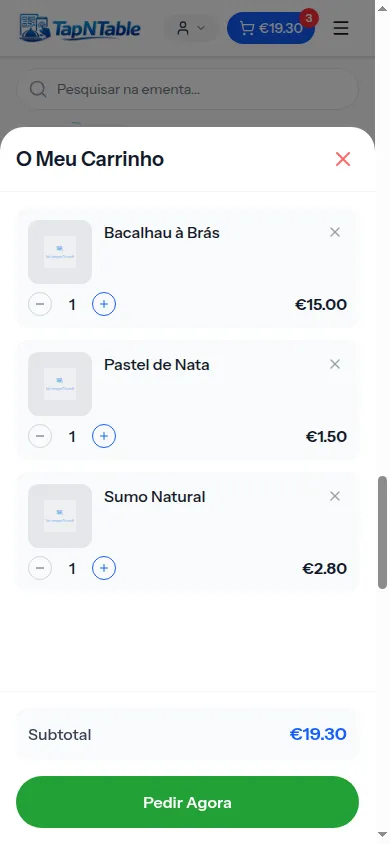
QR ordering at the table
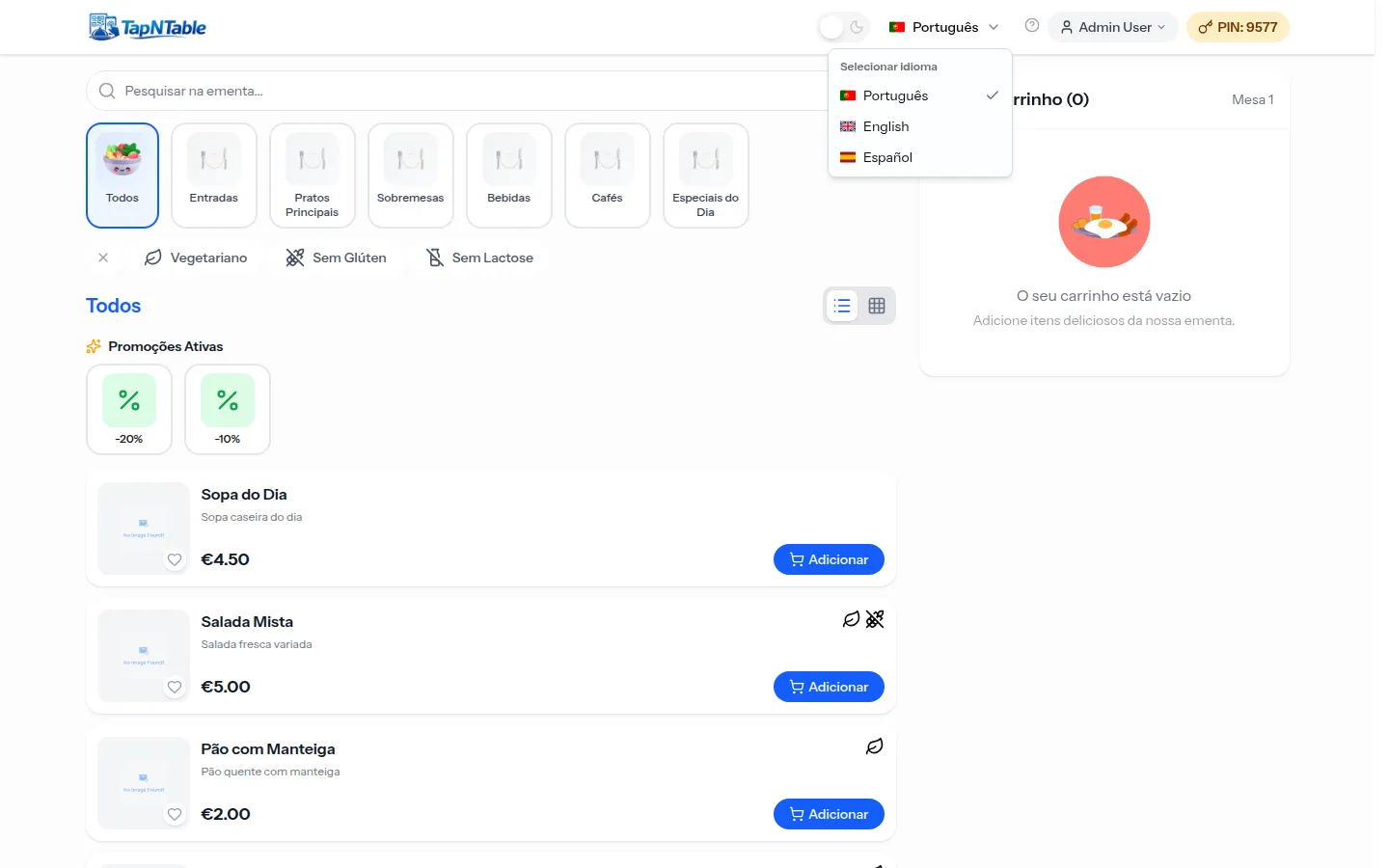
Guests scan the QR code on the table, open the menu on their phone and order on their own, with no app to install. Each table has its own session: orders go straight to the kitchen with an M ticket and stay tied to that table until the bill is closed. You can require prepayment before the order reaches the kitchen, or let guests pay at the end. The menu shows in the guest language and reflects promotions and availability in real time.
- Digital menu with no app: just scan the QR and order
- Per-table session with its own ticket (M001, M002...)
- Optional prepayment before the order goes to the kitchen
- Pay at the table with Stripe or MB WAY, or at the counter
- Call a staff member from the phone
POS for the counter
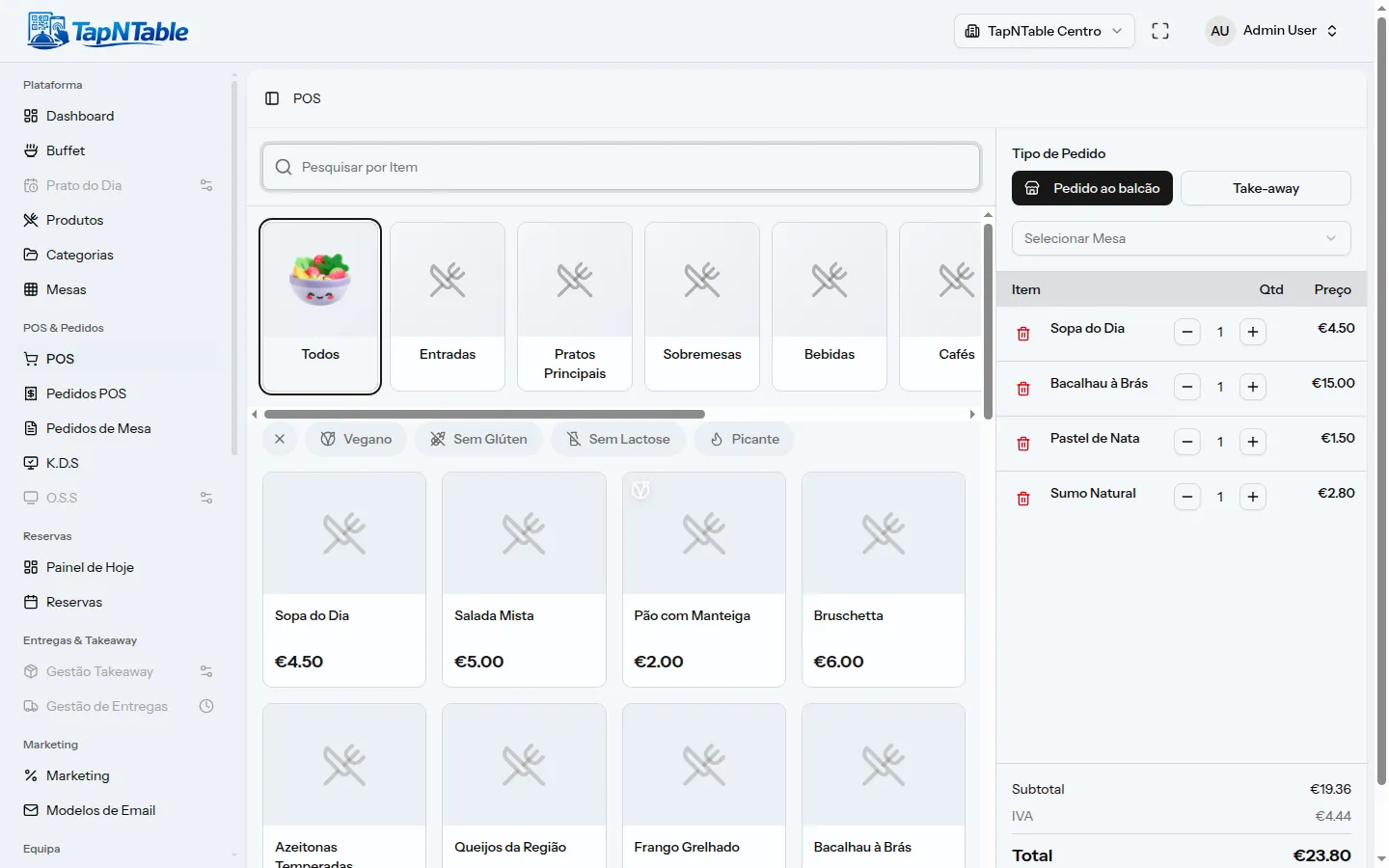
The POS rings up counter, takeaway and table sales from a single screen. Each operator has their own cart, while tables use a cart shared across the whole team so several staff can work the same bill. At checkout you take cash, Multibanco, terminal card or MB WAY, and print the receipt. Promotions and coupons apply automatically and every order goes to the kitchen with a P ticket.
- Per-operator cart and a shared cart per table
- Pay by cash, Multibanco, card or MB WAY
- Printed receipts and promotions applied automatically
- Save a sale for the record without charging
- Manual discounts per line or per bill
Kitchen display (KDS)
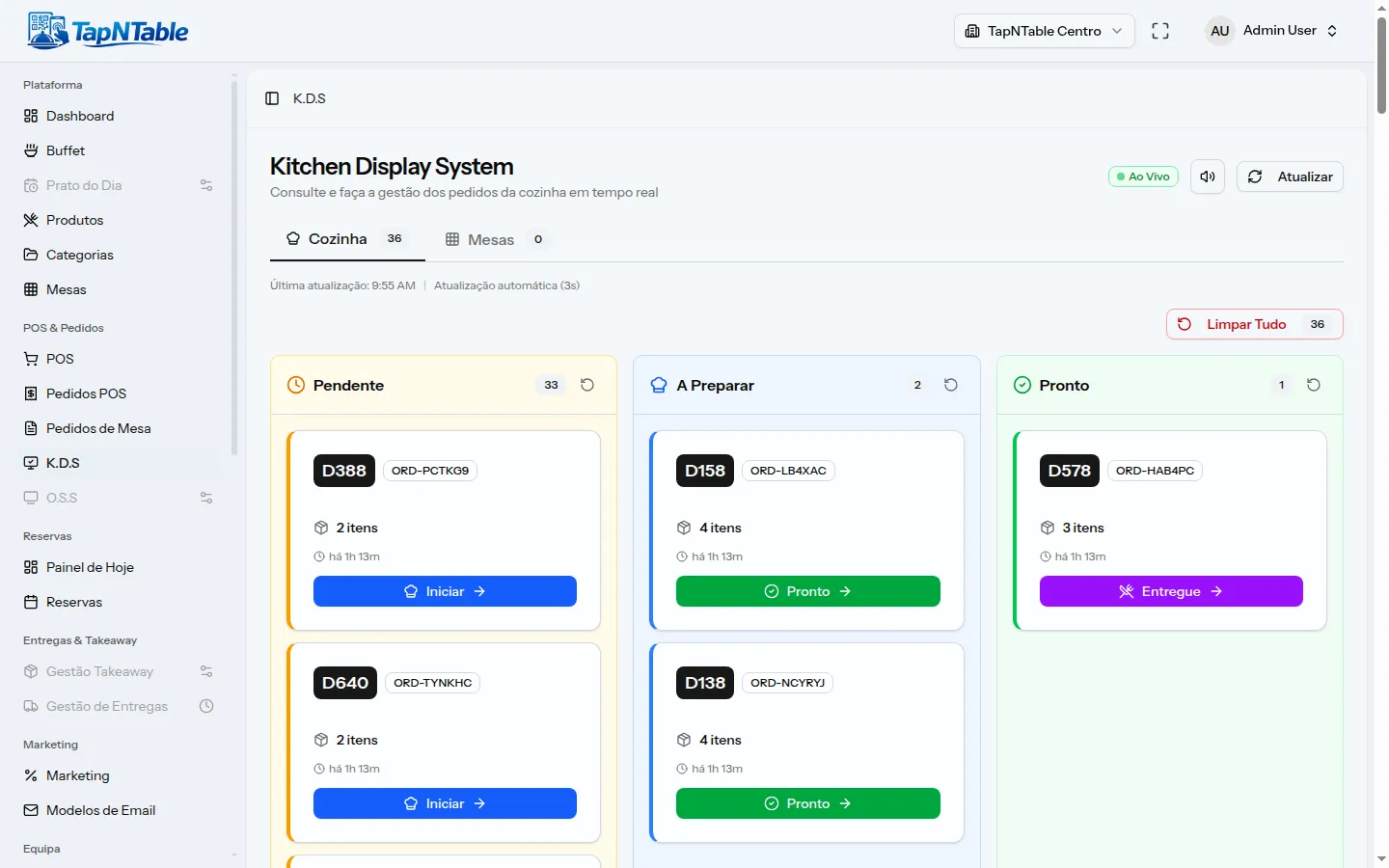
Every order lands on the kitchen display grouped into one card, with its ticket (P for counter, M for table, T for takeaway), the table, the items and the time elapsed. Staff advance orders through the preparing, ready and delivered states, and the screen refreshes itself every few seconds. Notifications alert the team when tables are waiting or orders are pending pickup. With the floor-plan addon you see the state of every table in real time.
- Per-order cards with ticket, table and time elapsed
- Clear states: preparing, ready, delivered
- Automatic refresh every few seconds
- Staff notifications (tables waiting, pending pickup)
- Floor-plan view of table states (addon)
Reservations with deposits
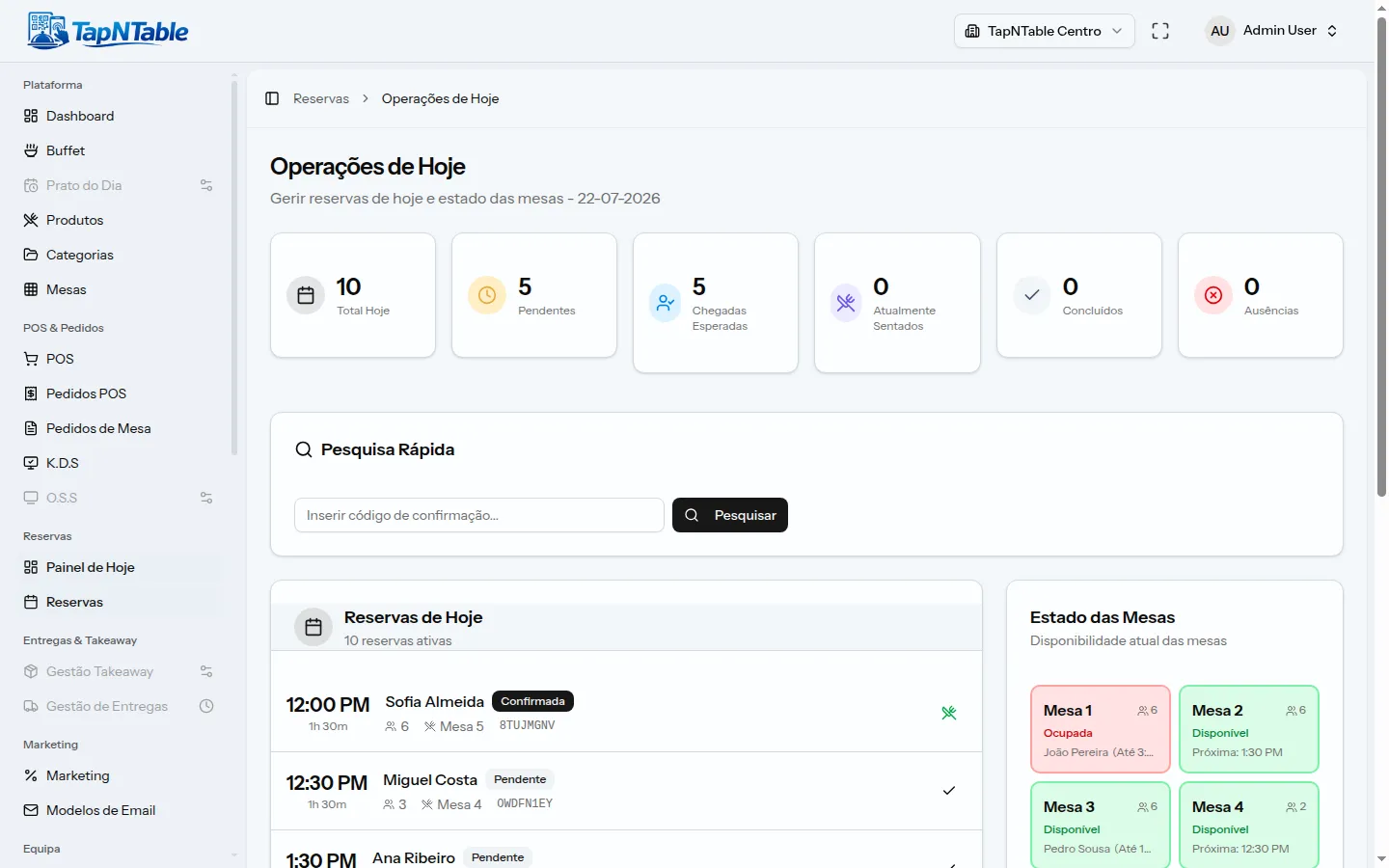
Take bookings online and manage your seating from a single calendar. Availability is worked out by time slots, so guests only see the times that still have a free table. You can ask for a deposit at booking to cut no-shows, refunded when the reservation is cancelled in time. For walk-ins there is a waitlist your team manages.
- Online bookings managed in a single calendar
- Slot-based availability, without overbooking the room
- Optional deposit via Stripe or MB WAY to cut no-shows
- Deposit refunded when cancelled in time
- Waitlist for walk-in guests
Takeaway with pickup slots
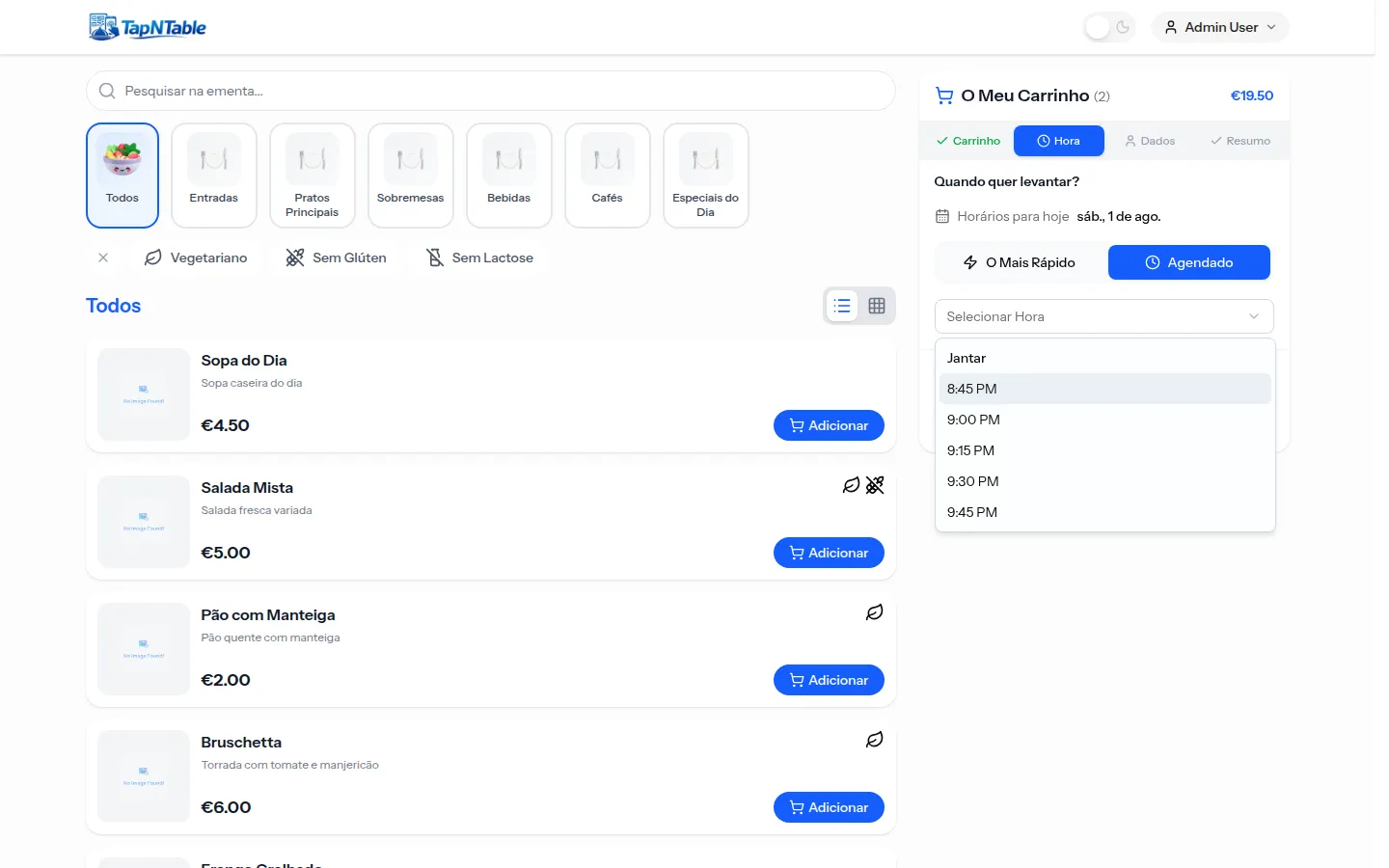
Guests order from the public takeaway page and choose to pick up as soon as possible or at a set time. The system works out the day availability and prep time on its own, and only sends the order to the kitchen at the right moment. Once confirmed, the guest follows the status on a tracking page and is notified at every step. Home delivery is coming soon.
- Public takeaway page with online ordering and payment
- Pick up immediately or at a set time
- Sent to the kitchen at the right time, based on prep time
- Order tracking with SMS or email alerts at each state
- Home delivery coming soon
Promotions, coupons and loyalty
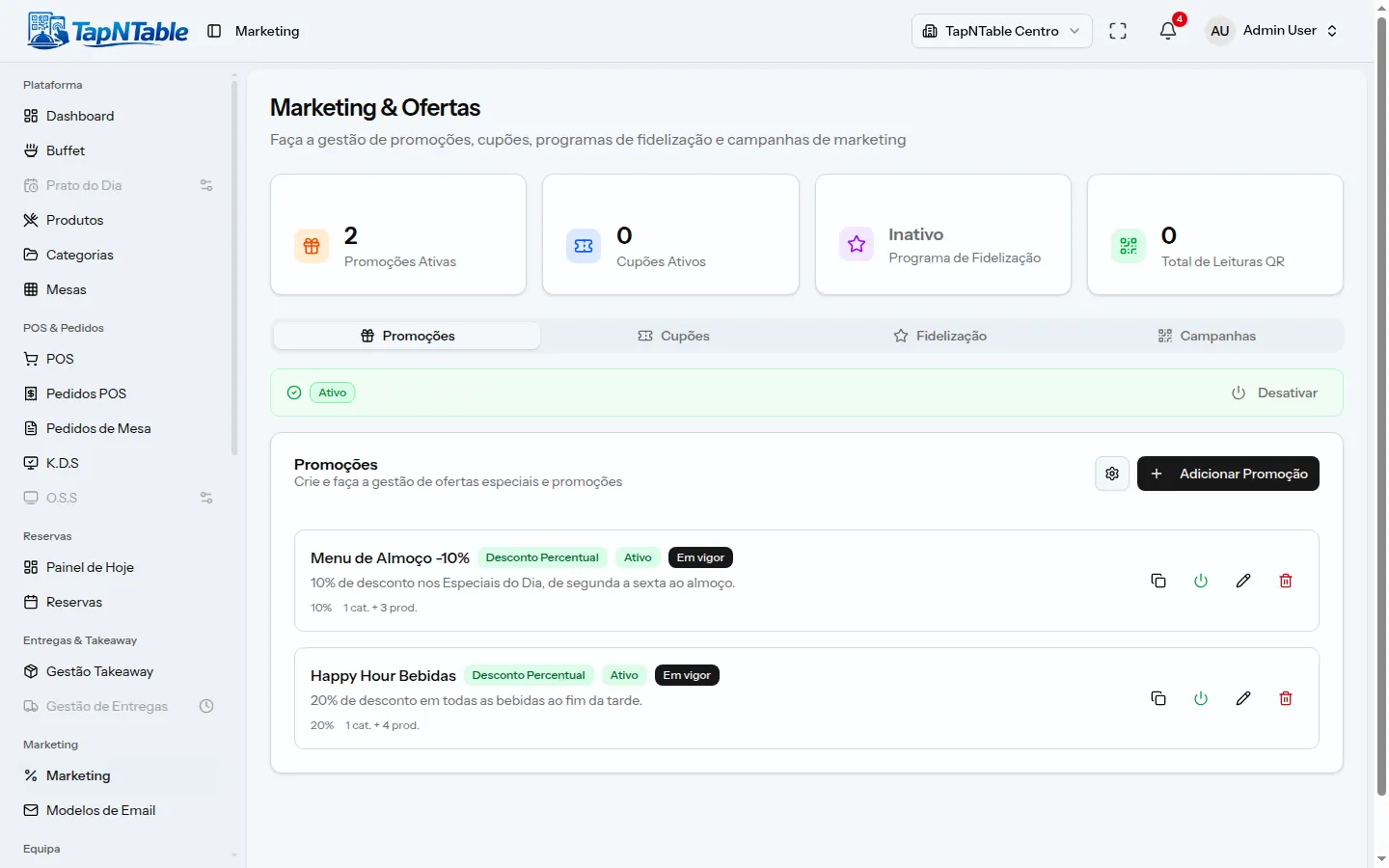
Create promotions that apply themselves in the cart: percentage, fixed amount, buy-x-get-y, happy hour or daily special. Hand out coupons with usage limits and custom rules, and highlight the discounts on the menu itself. The loyalty program awards points per spend or per visit, with tiers and rewards to redeem. It all runs on the promotion engine, which respects the stacking limits you set.
- Automatic promotions: percentage, fixed, buy-x-get-y, happy hour
- Coupons with usage limits and custom conditions
- Promotion highlights on the digital menu
- Points-based loyalty, with tiers and rewards
- Control over discount stacking per order
Receipts now, invoicing soon
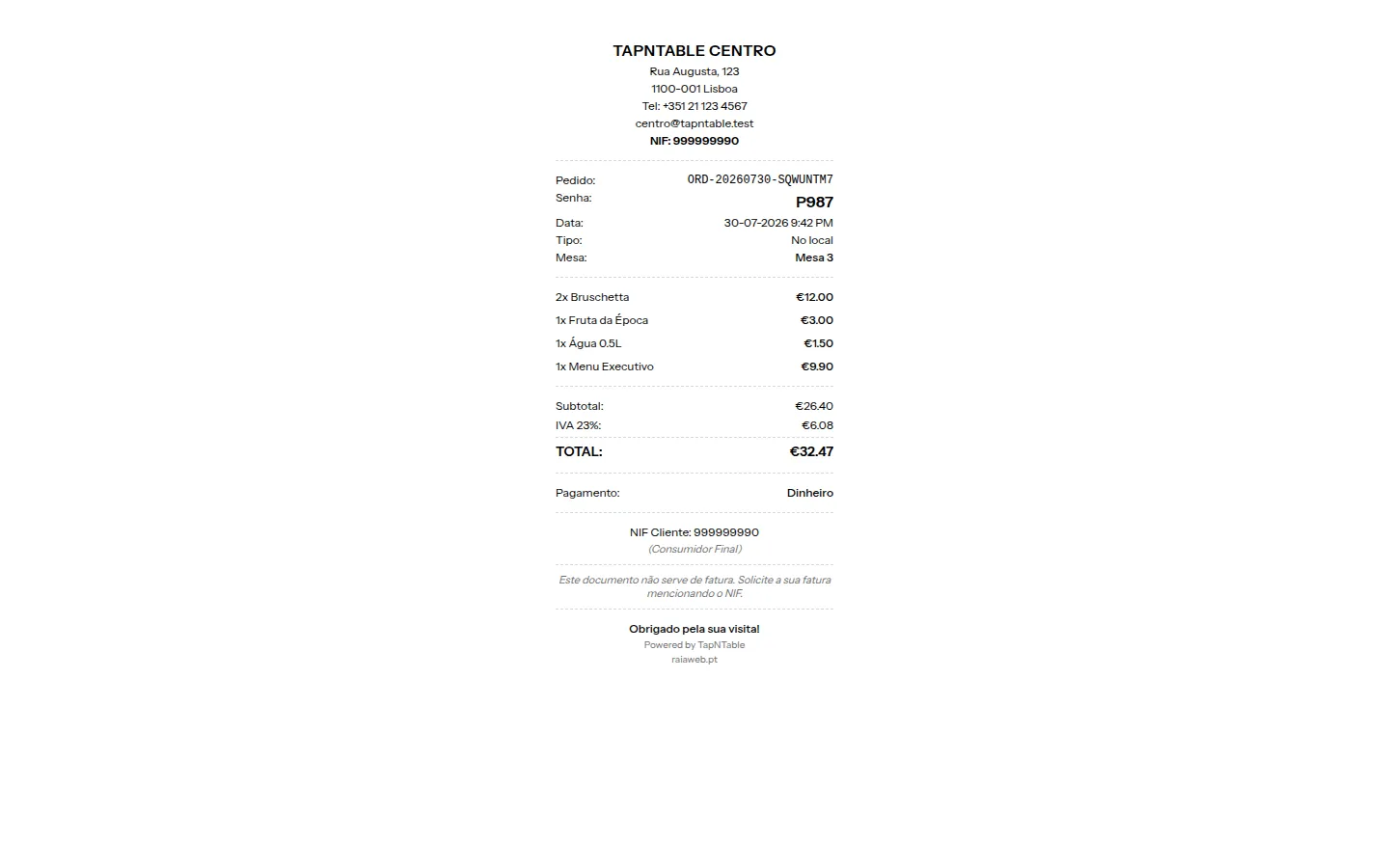
On every payment, TapNTable generates the order receipt, ready to print or send to the guest. Totals break out items, buffet, discounts, taxes and tip, with no manual maths. Certified invoicing integrated with providers is coming soon. Until then, you have the full sales record for your accounting.
- Receipt generated automatically on every payment
- Detailed totals: items, discounts, taxes and tip
- Print or send the receipt to the guest
- Full sales record for your accounting
- Certified integrated invoicing coming soon
Multiple branches on one license
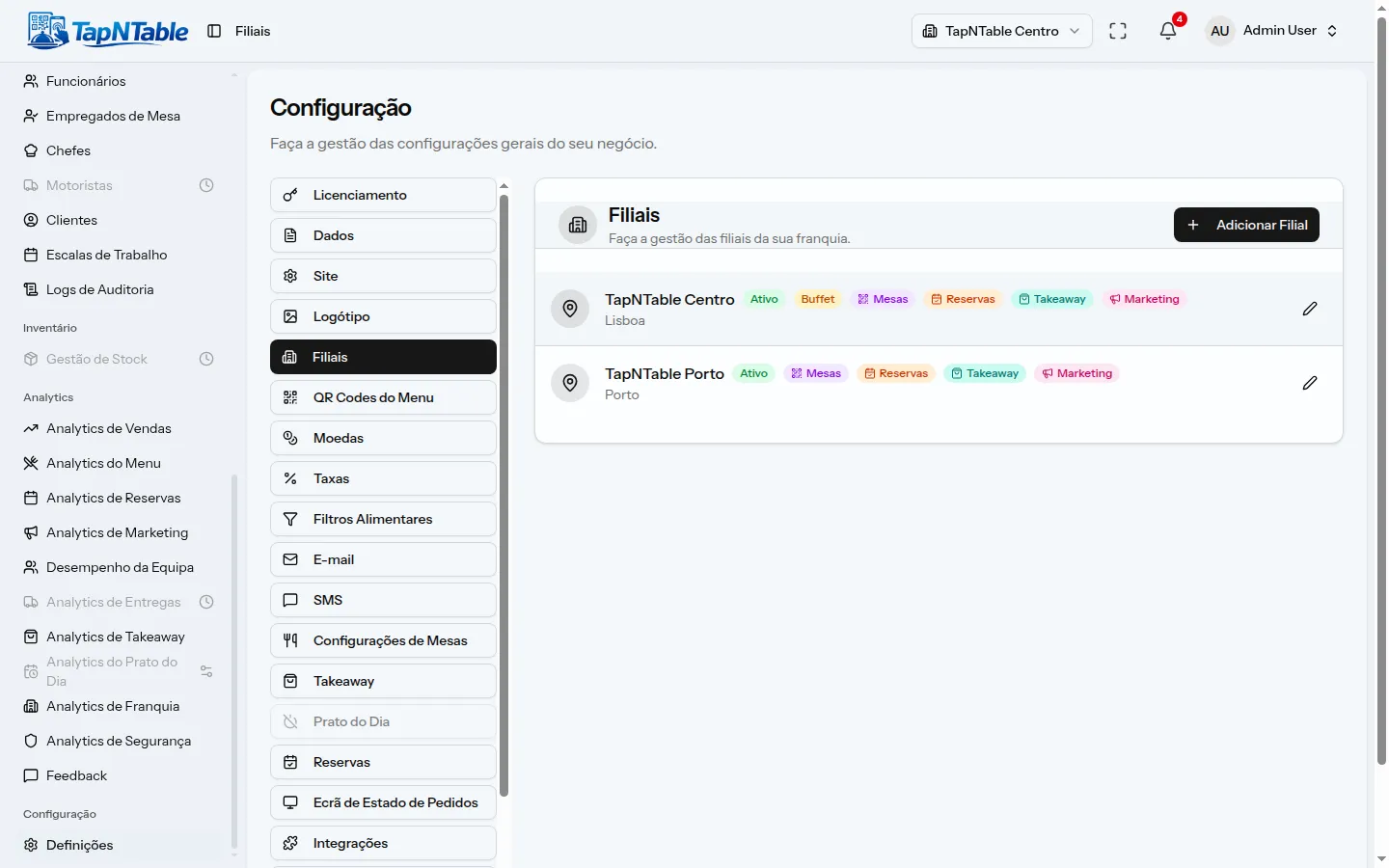
A single license covers all your branches, each with its own menu, tables, team and opening hours. You run everything from the same dashboard and switch branch in an instant. Invoicing and payment settings are shared at company level so you do not repeat configuration. Turn on more branches as you grow, without changing systems.
- One license for all the company branches
- Own menu, tables, team and hours per branch
- Central management from a single dashboard
- Shared company settings (invoicing and payments)
- Add branches as you grow
Menu in several languages
The digital menu speaks the guest language: it shows in Portuguese, English and Spanish and each person picks their language when ordering. The management system itself is available in the three languages for the whole team. You translate dish names and descriptions once and the menu handles the rest. Ideal for spots with plenty of tourism.
- Guest menu in Portuguese, English and Spanish
- Each guest picks their language when ordering
- Management dashboard also in three languages
- Dish translations managed in one place
- Built for high-tourism areas
See it all working together
See the plans or talk to us - the public demo is on its way. One license covers the whole restaurant, with no per-terminal or per-order fees.